SBOM scans, incidents and risk management on one platform
CodeGuard is your central platform for software bills of materials, vulnerabilities and risks. Detect vulnerabilities, manage deadlines and document risks only when they really matter. Fully configurable, on its own web interface and connected to your Azure Pipelines.
What is timeghost CodeGuard?
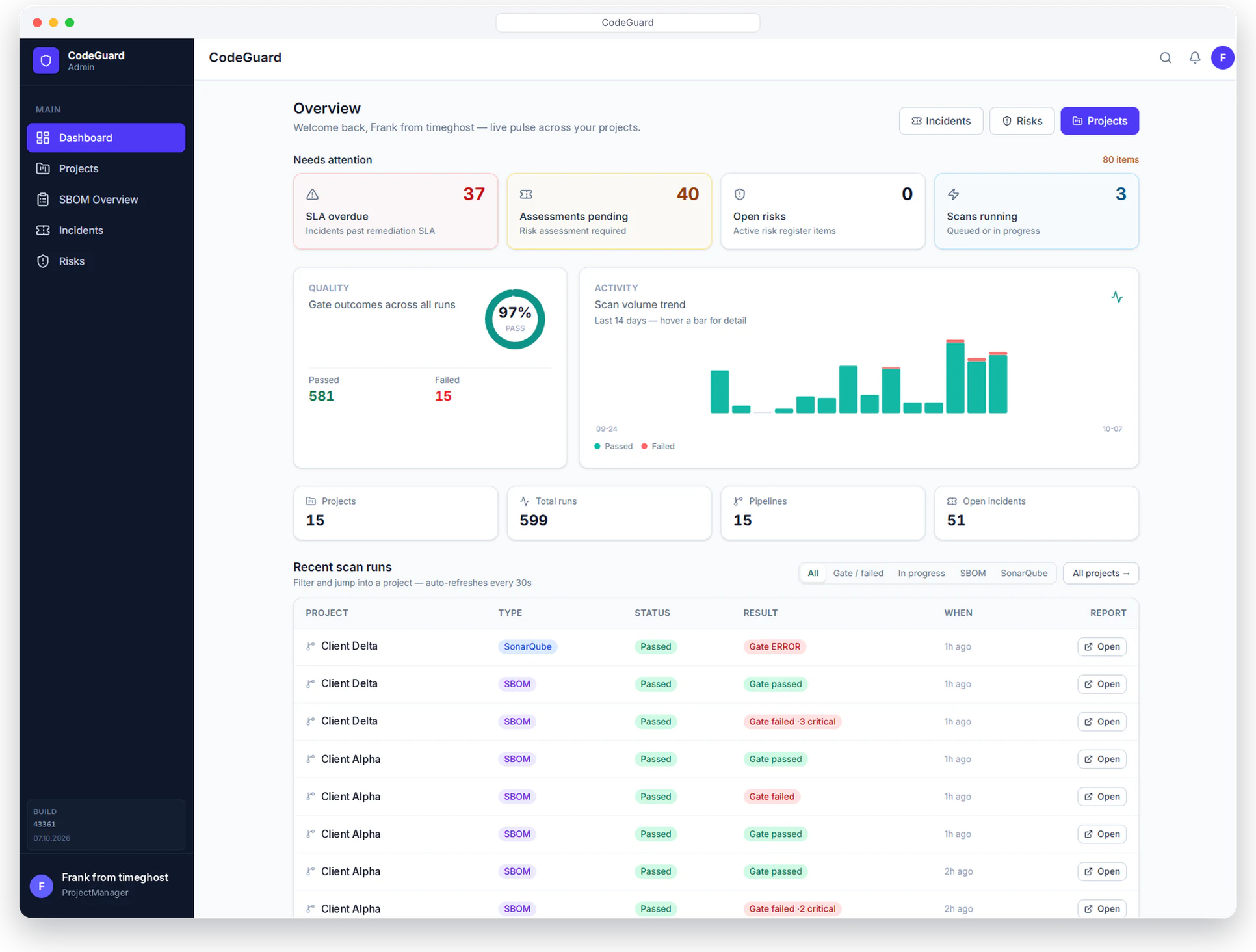
timeghost CodeGuard is a software supply chain security platform: it checks software bills of materials (SBOMs) and container images for known vulnerabilities, enforces quality gates in the pipeline and turns findings into trackable incidents. When an incident misses its deadline, a structured risk assessment starts. Only cases with relevant risk end up in the risk register.
CodeGuard accepts SBOMs in CycloneDX or SPDX format from the Azure Pipeline or by manual upload and scans them with Grype and/or Trivy. You control scanners, thresholds, SLAs, notifications and schedules centrally and per project. CodeGuard is built for development teams, DevSecOps and security and compliance roles who want to keep dependencies and container risks under control in CI and day to day, especially in Azure DevOps environments.
What CodeGuard does
From the scan in the pipeline to the documented risk: every step on one platform.
Find vulnerabilities before they ship
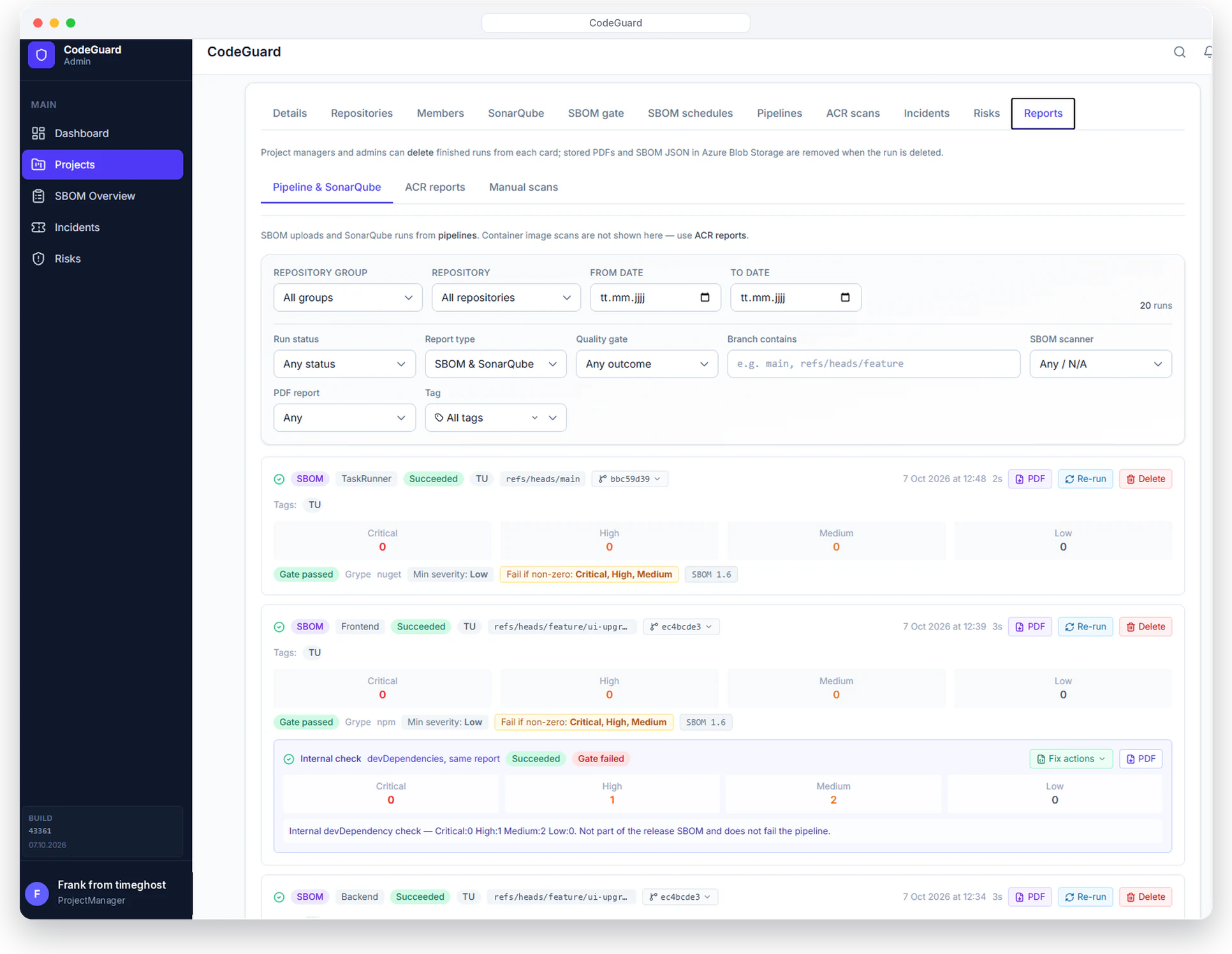
CodeGuard accepts SBOMs from the pipeline or manually, scans them for known vulnerabilities and uses a quality gate to decide whether a build passes.
- SBOMs in CycloneDX or SPDX format
- Scanning with Grype and/or Trivy, optionally container images from the registry
- Quality gates with severity thresholds, fail on Critical/High and library exceptions
- PDF reports, findings overview and email digest
Findings become trackable incidents
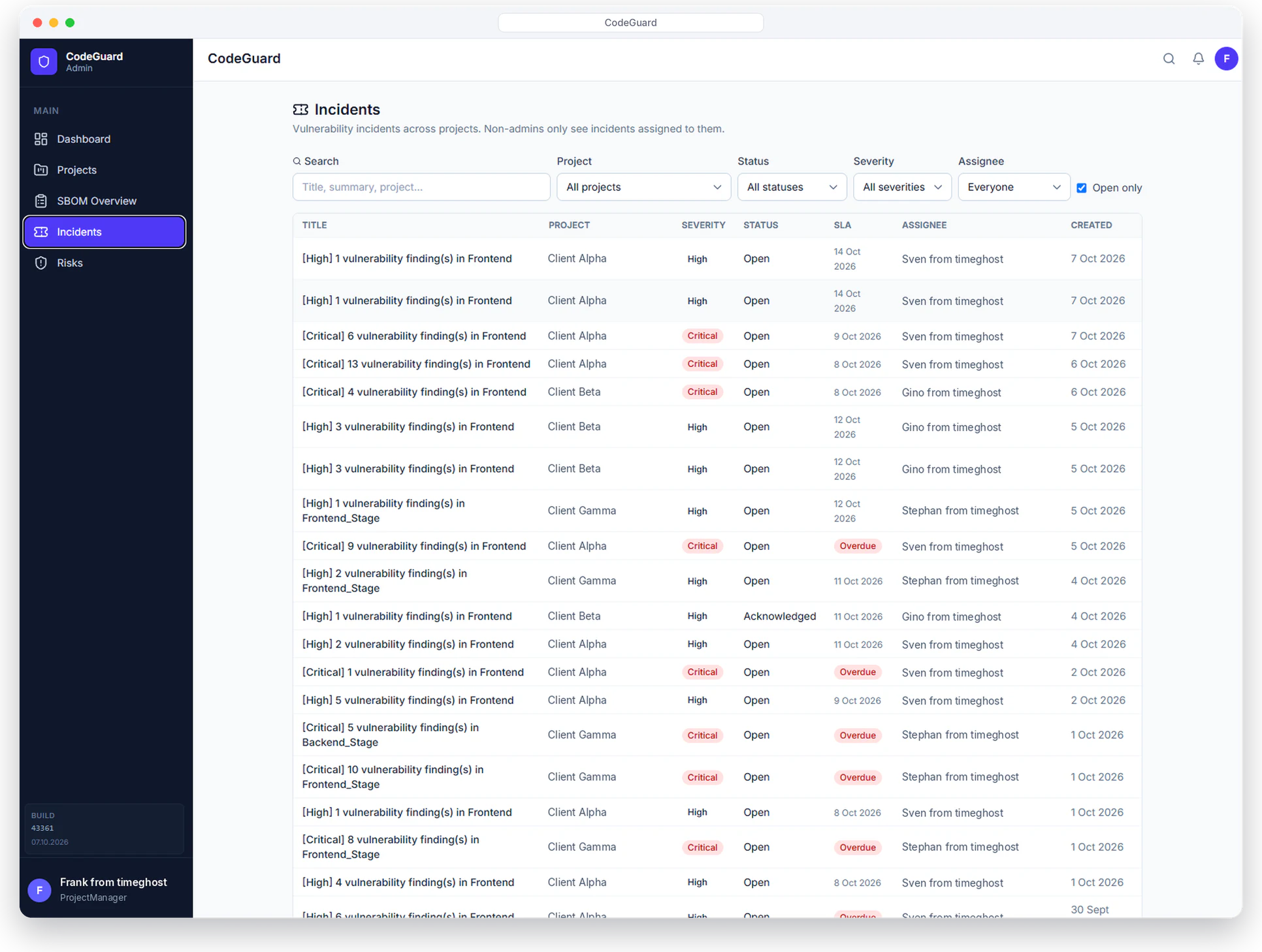
Findings become incidents when needed, with clear ownership, status and deadline. CodeGuard merges duplicate findings automatically.
- Assign owners and track status
- Notifications by email, Microsoft Teams and in-app
- Decide per project whether and by which rules incidents are created
- No duplicate incidents for the same finding
Set global defaults, adjust per project
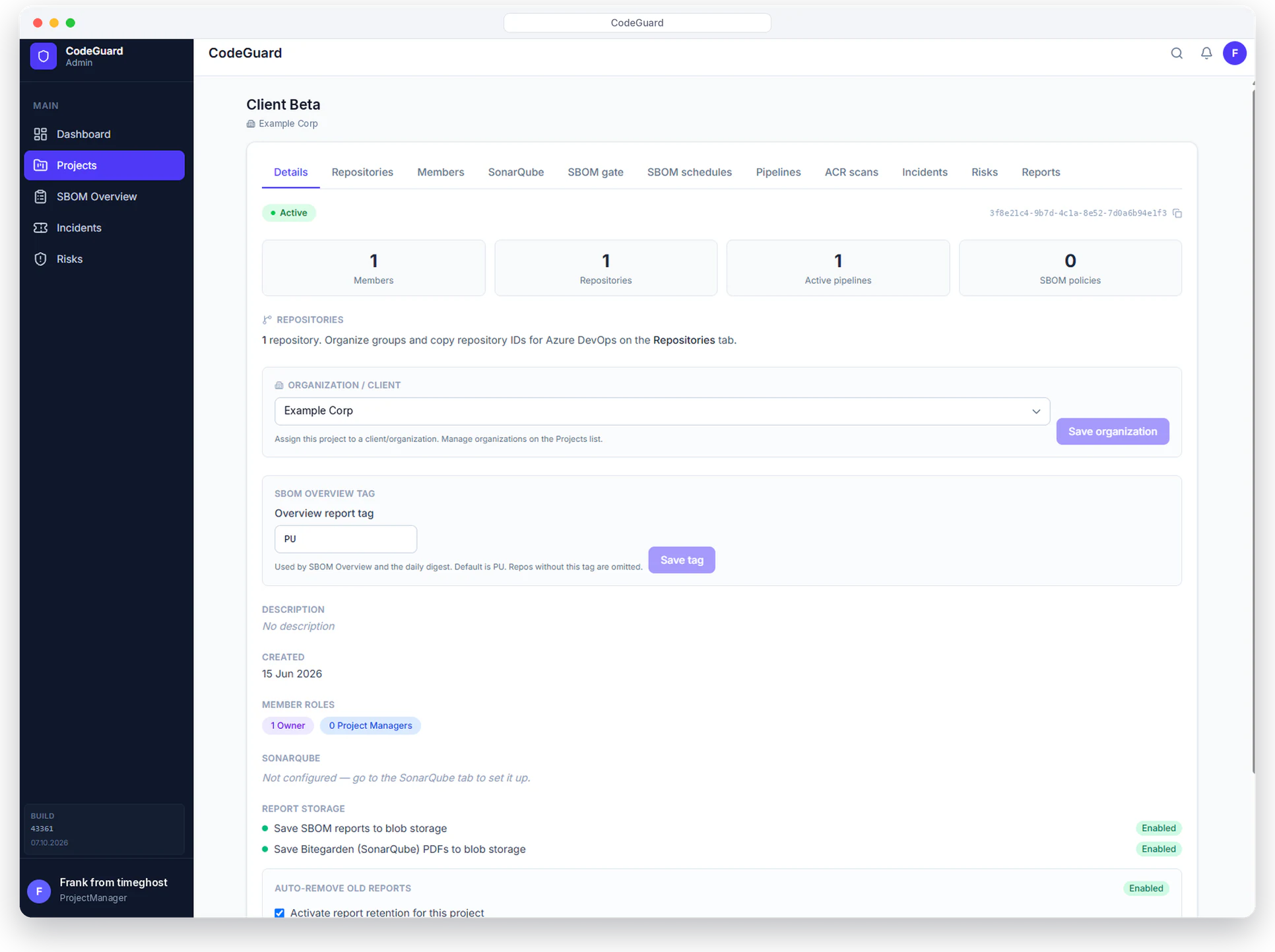
Model organizations, projects, repositories and roles in CodeGuard. Global settings apply everywhere, project settings extend or override them.
- Scanners, gates, ticketing and risk SLAs per project
- SMTP and Microsoft Teams webhooks for notifications
- Scan schedules: manual, daily, weekly or monthly
- Reports optionally stored in blob storage, with automatic retention
How CodeGuard works
From scan to risk register in five steps.
Generate and submit the SBOM
The Azure Pipeline submits the SBOM through the CodeGuard extension, or you upload it manually. Container images can also be scanned directly from the registry.
Scan and check the quality gate
Grype and/or Trivy check every component for known vulnerabilities. The quality gate decides based on your thresholds whether the build passes.
Create and assign the incident
Relevant findings become incidents with an owner and a deadline. Owners are notified by email, Microsoft Teams or in-app.
Assess when the deadline is missed
When the SLA for a severity expires, a risk assessment starts: reachability, exploits, patch availability, existing controls and business impact.
Document relevant risks
Only cases with relevant risk go into the risk register, with owner, mitigation and audit trail. Cases without relevant risk stay out of the register.
More building blocks
What else CodeGuard brings along.
Risk management with deadlines
Configurable SLAs per severity, for example Critical in hours and Low in days. Overdue cases show up right on the dashboard.
Structured risk assessment
Consistent assessment of reachability, exploits, patch, controls and business impact, so you can decide transparently what belongs in the risk register.
Code quality with SonarQube
Optional: SonarQube reports and quality gate evaluation including PDF. The analysis can run in CodeGuard, so SonarQube credentials do not have to be stored in every pipeline.
Azure DevOps extension
SBOM scan, container scan, reports and release artifacts directly in the pipeline, without custom scripts.
Microsoft identity and pipeline tokens
Sign-in with Microsoft accounts, pipelines connected via dedicated tokens. Roles control who sees and does what.
Dedicated web interface
Dashboard, SBOM overview, incidents and risks on a CodeGuard website, with a daily digest by email.
For teams that have to keep dependencies under control
CodeGuard is built for everyone responsible for a secure software supply chain who does not want to maintain yet another tool for every task.
No obligation, we will get back to you within one business day.
- Development teams: see vulnerabilities in the build instead of in the audit
- DevSecOps: control scanners, gates and schedules centrally
- Security and compliance: deadlines, assessments and risk register with audit trail
- Azure DevOps environments: extension and pipeline tokens instead of custom scripts
We secure our own apps with CodeGuard
We use CodeGuard ourselves to ensure the quality and security of our own Microsoft 365 apps. It complements our ISO/IEC 27001 certified information security management.
- In use for the timeghost apps
- Deadlines and risks traceably documented for audits
- timeghost is ISO/IEC 27001 certified and a Microsoft Gold Partner
timeghost CodeGuard is developed by timeghost GmbH from Konstanz, Germany, which has been building software for Microsoft 365 for 15 years. CodeGuard combines SBOM and vulnerability scanning, incident management and risk management on one configurable platform: SBOMs in CycloneDX or SPDX format come from the Azure Pipeline or by upload, Grype and/or Trivy scan them, and quality gates with severity thresholds decide on the build. Optionally, CodeGuard also checks container images from the registry and evaluates SonarQube reports.
Findings become incidents with an owner, status and deadline; notifications go out by email, Microsoft Teams and in-app. When an incident exceeds its SLA, a risk assessment starts based on reachability, known exploits, patch availability, existing controls and business impact. Only relevant risks go into the risk register, with owner, mitigation and audit trail. CodeGuard connects through an Azure DevOps extension, pipeline tokens and Microsoft identity.
Besides CodeGuard, timeghost builds Microsoft 365 apps for Teams, Outlook and the browser, ready-made SharePoint solutions and AI process solutions.
Frequently asked questions
What is an SBOM?
An SBOM (software bill of materials) is the parts list of a piece of software: it lists all included libraries and components with their versions. CodeGuard matches this list against known vulnerabilities and shows which components are affected.
Which SBOM formats does CodeGuard support?
CodeGuard processes SBOMs in CycloneDX and SPDX format. They come directly from the Azure Pipeline via the CodeGuard extension or by manual upload.
Which scanners does CodeGuard use?
CodeGuard scans with Grype and/or Trivy. You define which scanner runs globally or per project.
Does CodeGuard work with Azure DevOps?
Yes. An Azure DevOps extension brings SBOM scan, container scan, reports and release artifacts directly into the pipeline. It connects via pipeline tokens and Microsoft identity.
How do the risk SLAs work?
You set a deadline per severity, for example Critical in hours and Low in days. If an incident is not resolved within this deadline, a risk assessment starts automatically.
When does a case go into the risk register?
Only after the risk assessment and only if the risk is relevant. The assessment covers reachability, exploits, patch availability, existing controls and business impact. The risk register then records owner, mitigation and an audit trail.
Can CodeGuard scan container images?
Yes, CodeGuard can optionally scan container images directly from the registry, in addition to the SBOMs from the pipeline.
Do I need SonarQube for CodeGuard?
No. SonarQube is optional. If you use it, CodeGuard evaluates SonarQube reports and quality gates and creates PDF reports. The analysis can run in CodeGuard, so SonarQube credentials do not have to be stored in every pipeline.
Want to see CodeGuard in your pipeline?
In a no-obligation demo we show you CodeGuard with SBOM scanning, incidents and the risk register. We will get back to you within one business day.