Automated time tracking for Microsoft Planner
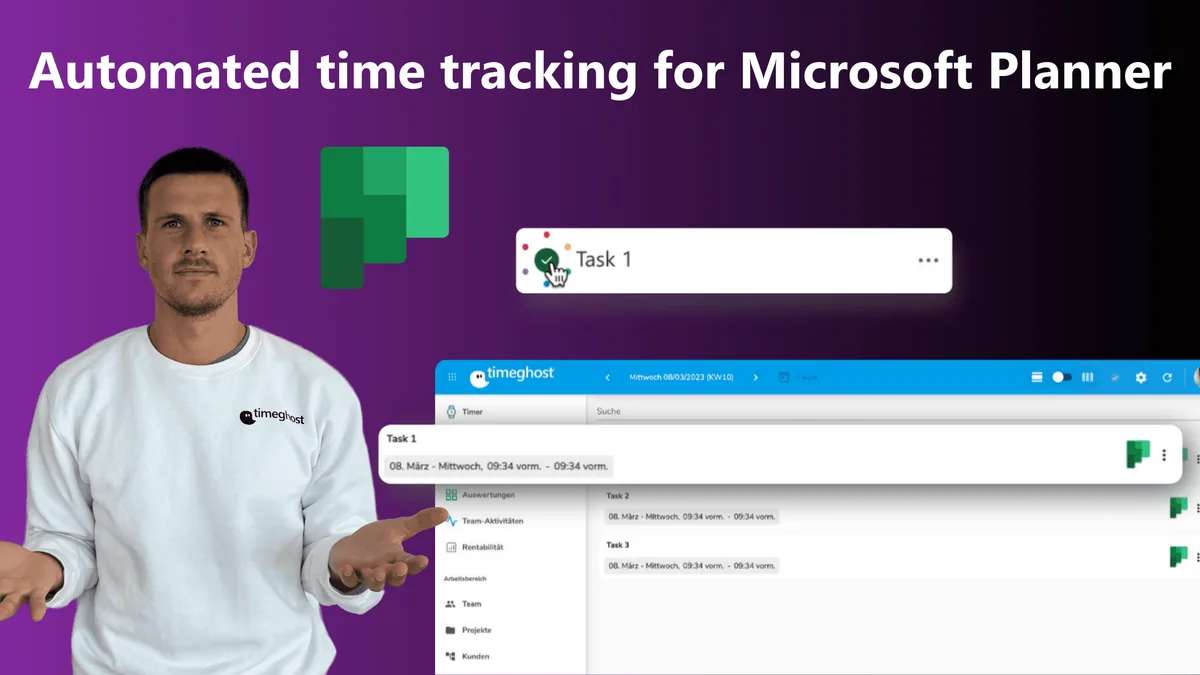
In this blog post, we're going to take a closer look at the topic of automated time tracking for Microsoft Planner. We'll take a look at why automated timesheet tracking is so effective, especially in Microsoft Planner, how it works, and the benefits it offers. In addition, we will introduce you to the possibilities of a solution that allows you and your team to implement and use an automated timesheet for Microsoft Planner.
Advantages of automated project time tracking
Automated project time tracking offers a variety of benefits that can help organizations plan, record, and bill their projects more efficiently.
Accuracy and reliability of data through time tracking
One of the biggest benefits is the accuracy and reliability of the data. Automated timesheet tracking tracks work hours in real time, minimizing human error. This allows the company to make more accurate forecasts about the progress of the project and make timely adjustments to ensure that the project is completed within the planned budget and timeframe.
Since timeghost is available for Microsoft 365 users, the software is primarily designed to capture smooth, accurate data from the programs in your Microsoft 365 environment. For many companies, the Planner is an essential part of the working environment. Thus, the program is also very important for recording working hours. The data can be perfectly used and evaluated for the recording of working hours.
Save time with automated time tracking
Another advantage of automated project time recording is the time saved. Since data capture happens automatically, employees no longer have to spend time keeping manual records or creating reports.
Instead, you can focus on your actual work and work more productively. Time tracking shouldn't be a part of your work, it should help you in the background to improve your work!
Even if you forget what you were working on, it's not a problem. The timeghost Feed doesn't forget anything! Just track your events by assigning the events recorded in the feed to a project and a task.
You can find more advantages of automatic time tracking on the timeghost Time Tracking website.
Potentials of the Microsoft Planner for working time recording
Although Planner is primarily designed as a task management tool, there are great opportunities to automatically record Planner projects and tasks as working time.
Especially in the Microsoft 365 work environment, Planner is an integral part and provides a perfect foundation to create automatic time entries. Tasks and projects are the optimal basis for a time entry in timeghost.
Automated Time tracking: Microsoft Planner with timeghost
We will show you how easy it is to record Microsoft Planner events in timeghost.
Activate the Microsoft Planner in the timeghost feed
To do this, go to the settings in timeghost and then activate the data exchange between timeghost and the Planner. This way, events of the Planner will be displayed directly in timeghost.
Create a project and tasks in Planner
After you have activated timeghost for Planner, you can create a project with corresponding tasks and assign them to yourself or to another person.
A typical workflow: As soon as a task is completed, the task should be displayed in timeghost.
After the task is completed, it is automatically displayed as a time entry in timeghost. Now you can assign the task to a customer, the project and a task and create a time entry.
You can decide which workflow you want to integrate into your work environment. We have already created some Power Automate connectors for our customers. You can also install additional automated workflows in Zapier. This way you can perfectly adapt timeghost to your Planner activities.
Summary
If you already use Microsoft Planner, it's worth installing timeghost in your work environment. Not only will you save yourself a lot of time when recording working hours, recording is also fun because it's so uncomplicated. The timeghost feed automatically captures your Planner events, allowing you to create a time entry in timeghost with just a few clicks.
Besides Microsoft Planner, you can connect timeghost to any program in your Microsoft 365 environment. This gives you the perfect integration of a time tracking tool that you can extend and customize as you like.
Try the Microsoft Planner - timeghost integration 14 days for free! If you have further questions, please contact us at support@timeghost.io.
Related articles:
About the Author

Nadja Abaz
Content Creator at timeghost
Nadja writes about productivity, Microsoft 365 and modern collaboration.
Share article