Bye-bye tool chaos: How to organize your project management entirely in Microsoft Teams
The working world is becoming more digital - and more complex. Today, project teams use a wide range of tools for communication, task management, scheduling, and documentation. But instead of increasing efficiency, this often leads to more confusion. Information is scattered across different systems, responsibilities are unclear, and it's easy to lose track.
Microsoft Teams has become the central platform for daily collaboration in many companies. But what if you could not only chat and hold meetings there - but also manage your entire project work? Without additional tools, without friction?
In this article, we'll show you how to centralize your entire project management in one place using Microsoft Teams and the timeghost Project Board - structured, efficient, and team-oriented.
The Flood of Tools in Daily Project Work - A Real Problem
Project managers often complain about the increasing fragmentation of their work tools: 61% of projects are completed on time when specialized PM tools are used - compared to only 41% when such tools are not in place. However, 70% of professionals report that communication issues within their organizations lead to significant time loss.
This creates a vicious cycle: data and processes are scattered across chats, spreadsheets, emails, and non-integrated tools.
The consequences:
- Repeated data entry across different systems ("double entry").
- Lack of transparency because responsibilities and progress can't be tracked centrally.
- Time-consuming searches for information hidden in chats, spreadsheets, or emails.
- Delayed responses because decision-makers first need to manually dig through various tools and threads.
The Solution - Build Your Project Management Environment Directly in Microsoft Teams
Microsoft Teams provides the ideal foundation to counteract the tool chaos. It's the place where employees already work daily, hold meetings, share files, and communicate. So why not bring project management directly into this environment as well?
The central idea: All project-related information, tasks, deadlines, and approvals are located exactly where your team communication happens. No detours, no switching between tools - instead, a continuous flow of information and complete transparency.
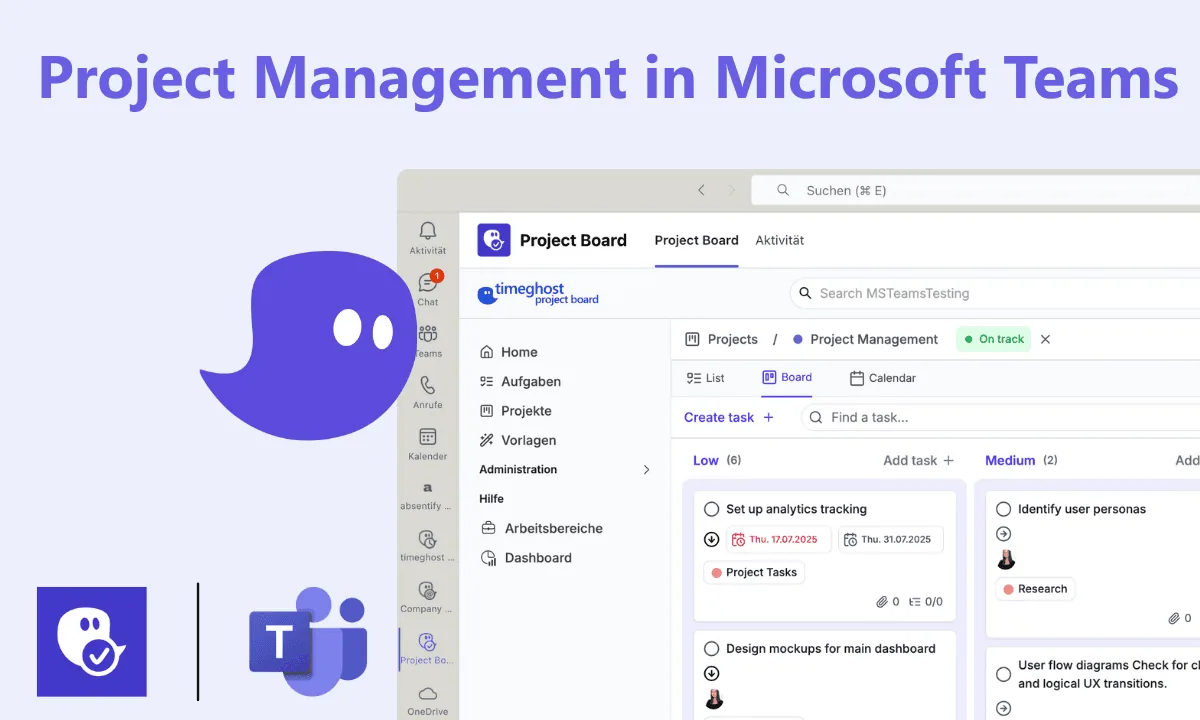
With the timeghost Project Board, Microsoft Teams becomes a full-fledged project management platform. You enhance the existing features with task boards, calendar views, progress tracking, role management, and much more - fully integrated, without leaving your environment.
The result:
- Fewer clicks, less searching, reduced friction.
- More structure, better clarity, increased productivity.
This turns Microsoft Teams into the only environment you need for your daily project management - efficient, intuitive, and team-oriented.
Use the No. 1 Project Management App in Microsoft Teams - the timeghost Project Board
With the timeghost Project Board, you integrate everything directly into Microsoft Teams. You manage tasks, deadlines, project progress, and team coordination seamlessly within the platform you already use every day. That means: less distraction, fewer friction points - and more focus, transparency, and real-time collaboration.
Your project management requirements - 100% mapped in Microsoft Teams
| Project Management Requirement | Solution with Microsoft Teams + Project Board |
|---|---|
| Clear goal definition & scope | Project templates and structured Teams channels enable transparent goal and phase planning |
| Capture & manage requirements | Task descriptions, notes, and change history make requirements traceable at any time |
| Task & deadline management | Kanban boards, calendar, and list view for structured task planning, deadlines, and responsibilities |
| Communication in project context | Comments, @mentions & notifications via Teams bot, email, or directly on tasks in the board |
| Progress tracking & status visualization | Real-time dashboards, status fields & filter options provide full visibility |
| Access control & compliance | Role-based access control in the board + GDPR-/ISO-compliant hosting in Microsoft Azure |
| Method flexibility (agile, hybrid, classic) | Customizable boards & templates support different project management methods |
| Resource & stakeholder management | Overview of responsibilities in the board + secure guest integration via Teams |
Use the timeghost Project Board 100% Free
Create projects, organize tasks, and work directly in Microsoft Teams - completely free of charge. Download the timeghost Project Board app directly from the Teams Store or simply sign up on the Project Board website.
Would you like to track your working hours directly in Microsoft Teams? Register now and test timeghost Time Tracking for 14 days completely free of charge: Register for free
Related articles:
About the Author

Tim Lauenroth
Product Marketing Manager at timeghost
Tim writes about Microsoft 365, Microsoft Teams and productive work with the timeghost apps.
Share article